Page Setup
Each page has front matter that helps provide structured data for browsing, searching, and navigating the site.
The standard front matter for all pages looks like:
---
title:
section:
permalink:
layout:
search:
keywords:
description:
---
Please try to keep it in this order for consistency. Use these guidelines for filling in the front matter:
title:the page title that will appear at the top of the pagesection:general category the content fits underpermalink:location on the site. This should match the location in the project folders.layout:the page template to use. This is typicallypageorfull-width-page.search: truetrue or false, opt in to appear in site search results. Search will use the title, description, and keywords values to index.search_headings: truetrue or false, opt in to index at the sub-heading level. This is useful for documentation pages that contain many subsections with important information that users may want to discover at a deeper granular level, with links directly to the related heading.keywords:keywords to help with search and browse, used in site search and meta markup.description:short summary of the content, used in site search and meta markup.noindex: trueset to ask google to NOT index the page.custom-foot:pulls in an include at the bottom of the html to allow custom js loading.
Page Layout Features
The standard “page” layout comes with several built in feature options that are controlled by the front matter. The page is a narrow text layout for better reading, with optional features on the right side column. The features are page-navigation.html, page-callout.html, and page-resources.html found in “_includes/components/”, each file has full options documented in comments at the top.
The components are controlled by these front matter keys:
page_nav:sets up the page nav. This allows for a flexible, decentralized nav structure. If the page_nav section is blank, no page_nav feature appear on the page. It contains two possible keys:parent:adding the permalink of a page will pull in the page nav based on the parent. If this page does not have children, it will be treated as a sub page of the parent, the page_nav will be the same as the parent’s.children:optional list of child pages, given as list of permalink values. If the page has children listed, they will appear in the page_nav feature. If the page does not have a parent, it will appear at the top. If the page has a parent, the parent will appear at the top.
page_callout:a card feature with an optional image, a heading, description text, and a link.page_resources:a list of resource links in a grey card. These are generally external or deep links, supplementing than the standard page nav.
Below is an example of all options:
---
title: Example Great Page
section: Example
permalink: /demo/
layout: page
search: true
keywords: Demos; Cats
description: "A demo page with features"
page_nav:
    parent: /example/
    children:
        - /example/subpage.html
        - /example/another.html
        - /example/cats.html
page_callout:
    title: Digital Collections
    text: Digital Collections is a continually growing, searchable database that provides access to rare and unique collections to enhance and support research and education at the University of Idaho.
    link: https://www.lib.uidaho.edu/digital/
    link-text: Visit
    image: https://www.lib.uidaho.edu/media/collections/fatmen.jpg
    image-alt: Two men race down main street in historic photograph
    color: pride-gold
page_resources:
    title: Resources
    links:
        - text: U of I Brand
          link: https://www.uidaho.edu/brand
        - text: Brand intranet pages
          link: https://vandalsuidaho.sharepoint.com/sites/InsideUI-UCM/SitePages/Brand.aspx
        - text: U of I Brand Book
          link: https://content-hub.uidaho.edu/api/public/content/226d8af4ad704e65a2e42d96613305b2?v=e636bbda
---
Site Search
The website features a site search built into the header navigation to allow users to quickly discover content. The search is configured on each individual page in the YAML front matter using these options:
search:true/false, opt in to appear in site search results. The page record adds the page front matterdescription:andkeywords:to the index.search_headings:true/false, opt in to index at the sub-heading level. Settingsearch_headings: truewill split the page content up by the sub-headings, creating smaller records containing the text content of the section to index. This allows users to find more specific information with results linking directly to the related heading. This is useful for documentation pages that contain many subsections with important information that users may want to discover at a deeper granular level.
Additional external sources can be added as records in the index using the file “_data/search_index_additions.csv”.
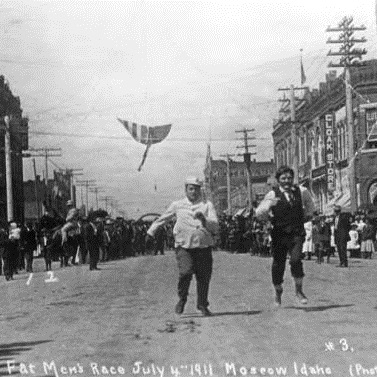
Example Callout
Callouts are a card feature with an optional image, heading, description text, and link.
Visit