
How to Use Web Archives
The majority of content captured by University of Idaho Library’s web archiving efforts are contributed to Internet Archive (IA) and are discoverable using their Wayback Machine service. IA has been archiving web content at a huge scale since 1996–the size of their holdings are hard to imagine, with over 916 billion web pages captured and over 100 petabytes of data stored.
This makes IA an invaluable resource for Finding Broken Links, Saving a Web Page, and Citing Sources.
If you have any questions, please don’t hesitate to get in touch with Special Collections & Archives for help!
Find Broken Links
The IA’s vast web content is accessible via the Wayback Machine. Paste any URL into the search box to see past copies captured over time–this allows you to recover currently broken links or browse the history of changes. To provide authentic access to archived web content, the Wayback Machine renders the original functionality in the user’s web browser with links automatically redirected to archived sources rather than the live web.
Internet Archive Wayback Machine
To find a page in the web archive:
- Copy the full URL for your broken link or for a page you would like to see older versions.
- Tip: to copy a URL from your browser, click in the address bar and type Ctrl+C (Cmd+C on Mac). To copy from a web page or document, right click on the hyperlink and select “Copy link address” in the context menu. To paste use Ctrl+V (Cmd+V on Mac), or right click and select “Paste”.
- Paste the URL into the form on the Wayback Machine home page and press Enter.
- If the page is available in the archive, you will be redirected to timeline view displaying the different times it has been captured. This allows you to browse the web page’s history in the archive.
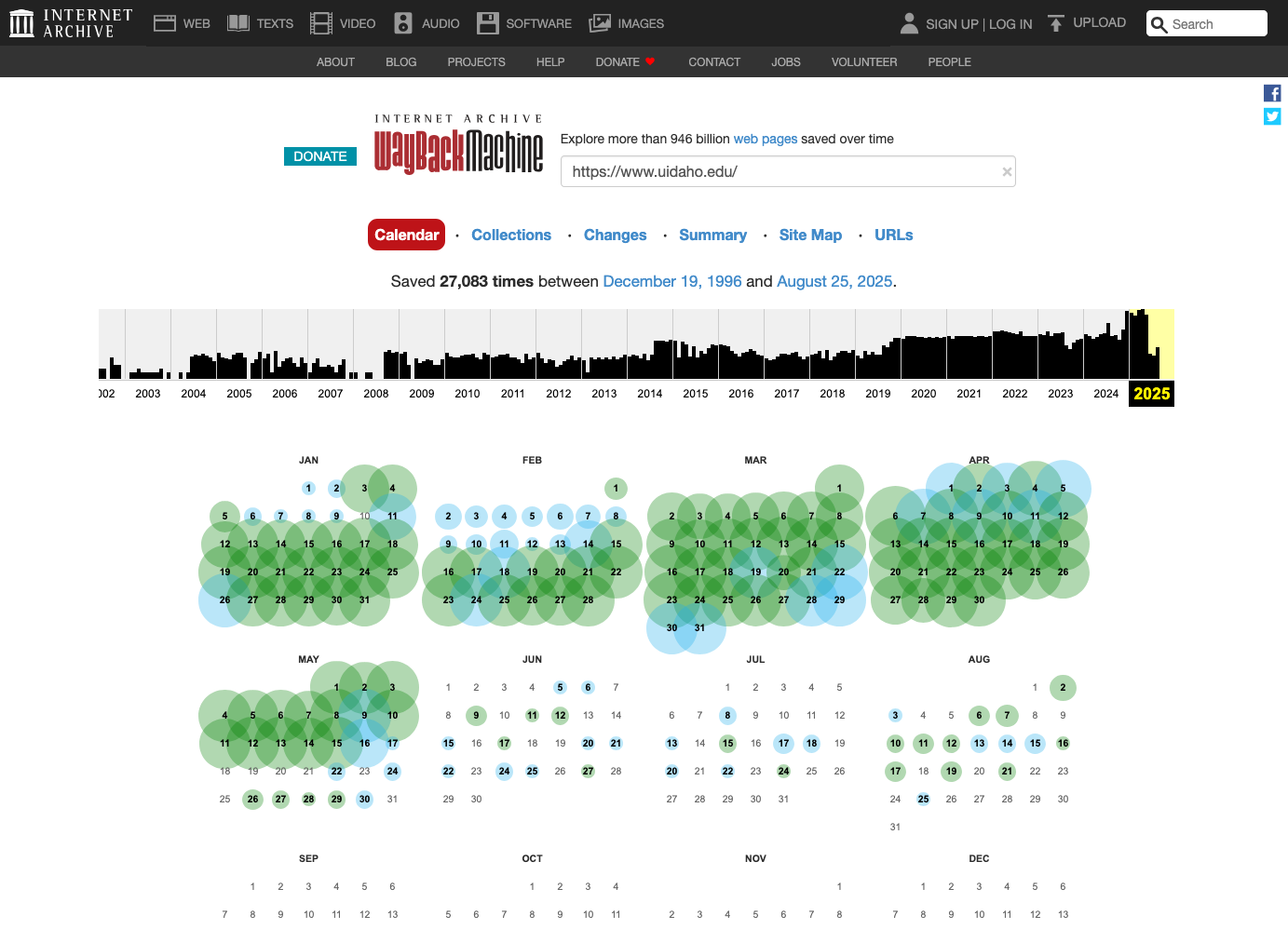
- Click on the timeline towards the top to navigate between different years.
- Hover over a date with a blue circle in the calendar below to display available snapshots, then click on one of the snapshot names.
- This will display an archived page captured at a specific date and time. Information about the capture is displayed in a box at the top.
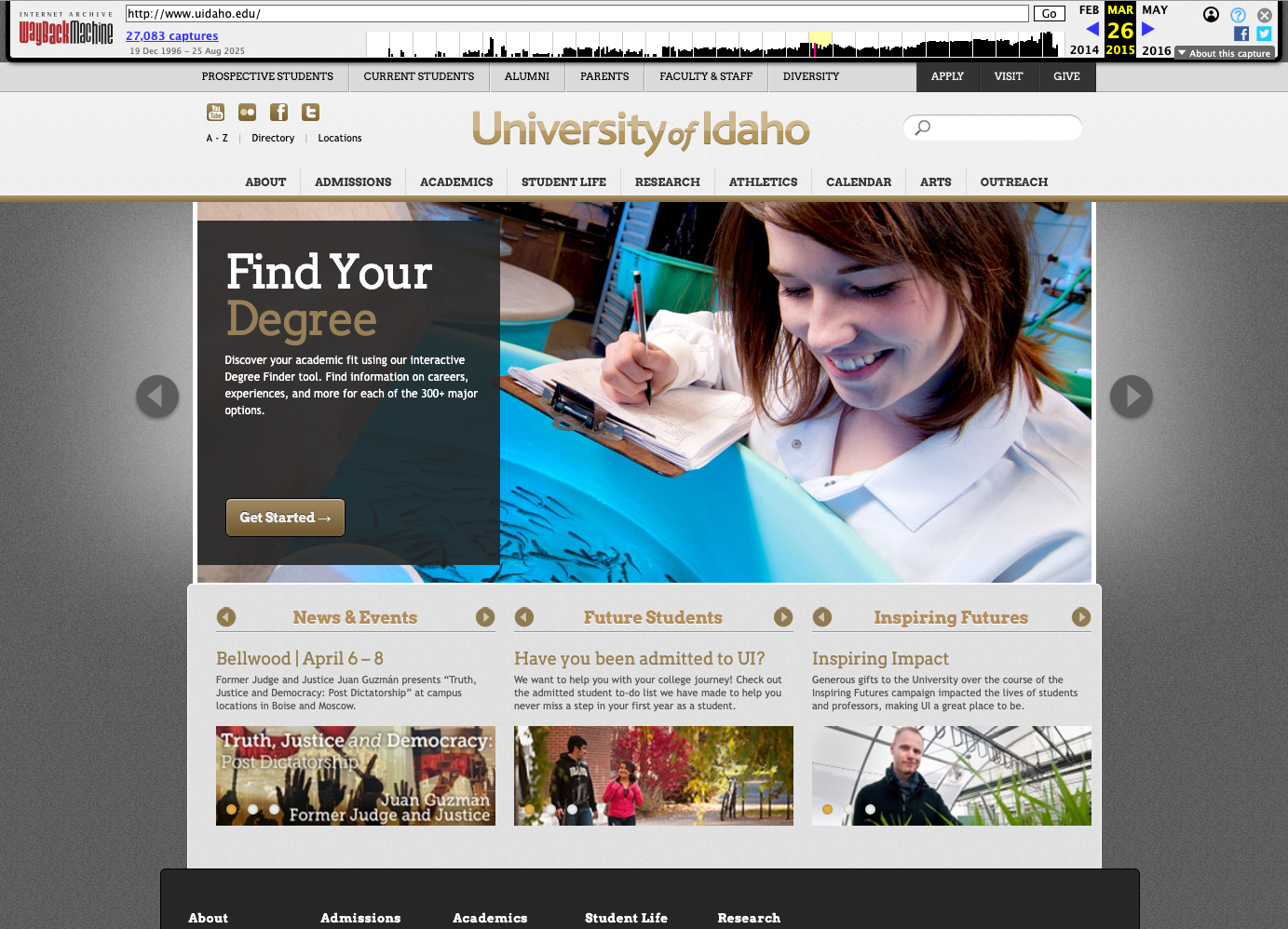
- The archived page can be shared by copying the full URL in your browser’s address bar.
- Clicking on the small timeline in the capture information box at the top will navigate you through the history available for the page.
- Clicking on links inside the archived page will redirect to archived content at the same date if available.
Find Lost Pages
Don’t have the old URL to the page you are looking for? It may still be possible to locate the content in the web archives.
First, if you know approximately where the page was in a web site, the best option is usually to visit the archived home page and use the links on the page to browse. Each click on an archived page in the Wayback Machine will redirect to archived copies if available, allowing you to explore the entire website at that time.
For example, if I know the page was in the CLASS section of the uidaho.edu website, I could start at www.uidaho.edu in May 2025, click on the navigation on the archived page (Academics > Colleges: Letters, Arts and Social Sciences), and explore to find the lost content.
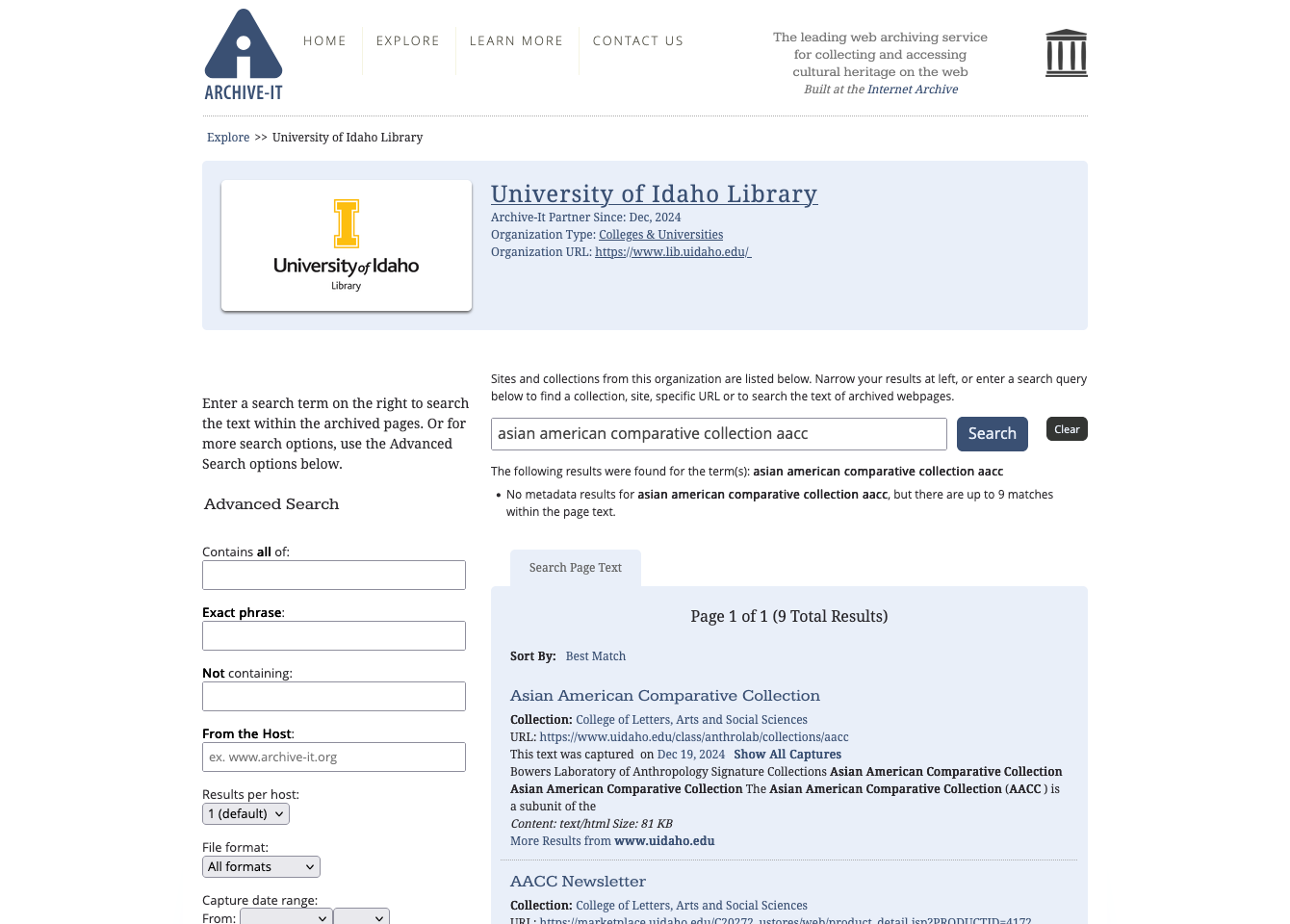
Second, for content captured by the Library’s curated harvests, full text search of page content is available in our Archive-It collections. This search covers only our cataloged collections (Dec 2024+), so indexes only a tiny fraction of what is available in the Wayback Machine.
Search Archive-It collections:
- Visit the Library’s Archive-It Page Text Search (the “Search Page Text” tab should be selected below the search box).
- Put keywords into the search box and type Enter, or use the Advanced Search options on the left.
Archive a Web Page
To build its collection, the Internet Archive continuously crawls huge sections of the web to archive content. However, it also invites anyone to capture individual pages for free via its Save Page Now feature. This is a form of curation, since if real people are interested in saving the content, it probably has more value than randomly crawled links. Submissions are anonymous.
Internet Archive Save Page Now
- Copy the full URL for the web page you want to save from the address bar in your browser.
- Paste the URL into the form on Save Page Now and click “Save Page”.
- The IA crawler will visit the live page and attempt to capture the data, which might take some time. Once complete, a success message will appear with a link to the archived content.
- Click the archive link to check the capture. Copy the full URL from the address bar in your browser–this is your new permanent archive link.
For example, a recent Library website capture looks like:
https://web.archive.org/web/20250824025821/https://www.lib.uidaho.edu/
Optionally, you can create an Internet Archive account. When logged in, “Save Page Now” you will give you more advanced options, including save outlinks and screenshot. If you select the option “Save also in my web archive”, the capture will appear in your account’s “web archive” list, giving you a basic way to keep track of saved items.
If you regularly archive web pages to cite in your research, please check out the Library’s Perma.cc Service.
Citing Web Archives
Using web archive links in your citations helps ensure the evidence you reference does not disappear, maintaining the integrity of your scholarship and contributing important resources to web archives.
For example, the Law Library of Congress started using Perma.cc as of Oct 2015. Citations in their documents, such as “Regulation of Drones” (April 2016), include archive links like:
- ICAO, Unmanned Aircraft Systems (UAS), Circular 328 AN/190 (2011), https://www.trafikstyrelsen.dk/~/media/Dokumenter/05%20Luftfart/Forum/UAS%20-%20droner/ICAO%20Circular%20328%20Unmanned%20Aircraft%20Systems%20UAS.ashx, archived at https://perma.cc/J5EM-TSAY.
- CASA and Remotely Piloted Aircraft, CASA, https://www.casa.gov.au/aircraft/standard-page/casa-and-remotely-piloted-aircraft (last visited Apr. 4, 2016), archived at https://perma.cc/6NUC-HKK7.
If you are citing a live website, include the full normal citation, but add the archive link at the end:
- “Coronavirus Disease 2019 (COVID-19).” University of Idaho, 21 Sept. 2020, www.uidaho.edu/vandal-health-clinic/coronavirus (archived at: https://perma.cc/T8YP-BFC9 ).
- Cieplak-Mayr von Baldegg, Kasia. “Inside the Internet Archive”. The Atlantic, 7 May 2013, www.theatlantic.com/technology/archive/2013/05/inside-the-internet-archive/466068/ (archived at: https://perma.cc/H3SK-LBR7 ).
In some cases you will be citing a specific version of a page found in an web archive (rather than the current live page), saying something like “an earlier version of this story dated 2012 said…” or “in 2006 the web page reported…”. In this situation you should make clear that you are citing the archived page, naming the web archive as the source of your citation. Treat it as if you are citing the web archive site, rather than the original location. Some style guides use “Retrieved from” to make this clear.
- “Coronavirus Disease 2019 (COVID-19).” University of Idaho, 23 May 2020. Internet Archive, web.archive.org/web/20200515231836/https://www.uidaho.edu/vandal-health-clinic/coronavirus.
- Cieplak-Mayr von Baldegg, Kasia. “Inside the Internet Archive”. The Atlantic, 7 May 2013. Internet Archive, web.archive.org/web/20160414123101/http://www.theatlantic.com/technology/archive/2013/05/inside-the-internet-archive/466068/.
Keep in mind that most citation style guides inadequately describe how to handle citing web resources and few mention archive links at all. However, it is better for ongoing scholarship to provide as much detail as possible for people to understand and find your evidence. It is often helpful to provide an “accessed on” date so that people will know when you are citing.
Resources
- Internet Archive Scholar (archive featuring full text search of archived research documents)
- Library of Congress Web Archives
- US National Archives Web Harvests
- Documenting the Now (tools and community for ethical social media archiving)
- Archive-It (platform used by organizations to create and manage web archive collections, based in Internet Archive)
- Conifer (platform for capturing web content via surfing, formerly called Webrecorder.io, designed for more complex dynamic content)
- Webrecorder Tools (suite of web archiving tools)
- Intro to Web Archiving: Fight Link Rot and Preserve Your Citations (workshop outline, source of content adapted for this page)